
Poppy AI Review: An AI Tool That Thinks As Your Brain Does
Most creators don't know about this visual workspace tool. But once you try Poppy AI, you won't go back to ChatGPT.


Have you ever looked at ChatGPT's empty interface and felt stuck creatively? I get it. I've tested a ton of AI marketing tools, and honestly, organizing your thoughts in a linear chat is frustrating.
The worst part? You're trying to create viral content that actually works, but you're stuck in this rigid box.
It jumps between ideas, connects random dots, and creates spiderwebs of creativity. But traditional AI tools force you into a rigid, top-to-bottom conversation that kills your creative flow and wastes precious research time.
That's why this Poppy AI review is different.
After spending weeks testing this new AI visual workspace, I can confidently say it's revolutionizing how creators interact with AI.
Stop switching between 20 browser tabs. Stop losing track of your research materials. And stop feeling trapped by linear chat interfaces when you're trying to work with different AI models and manage your existing content all in one place.
Here's the quick takeaway: Poppy AI is the first tool that mirrors how creative minds work, without requiring AI prompts. But it's not for everyone (more on that below).
What is Poppy AI?
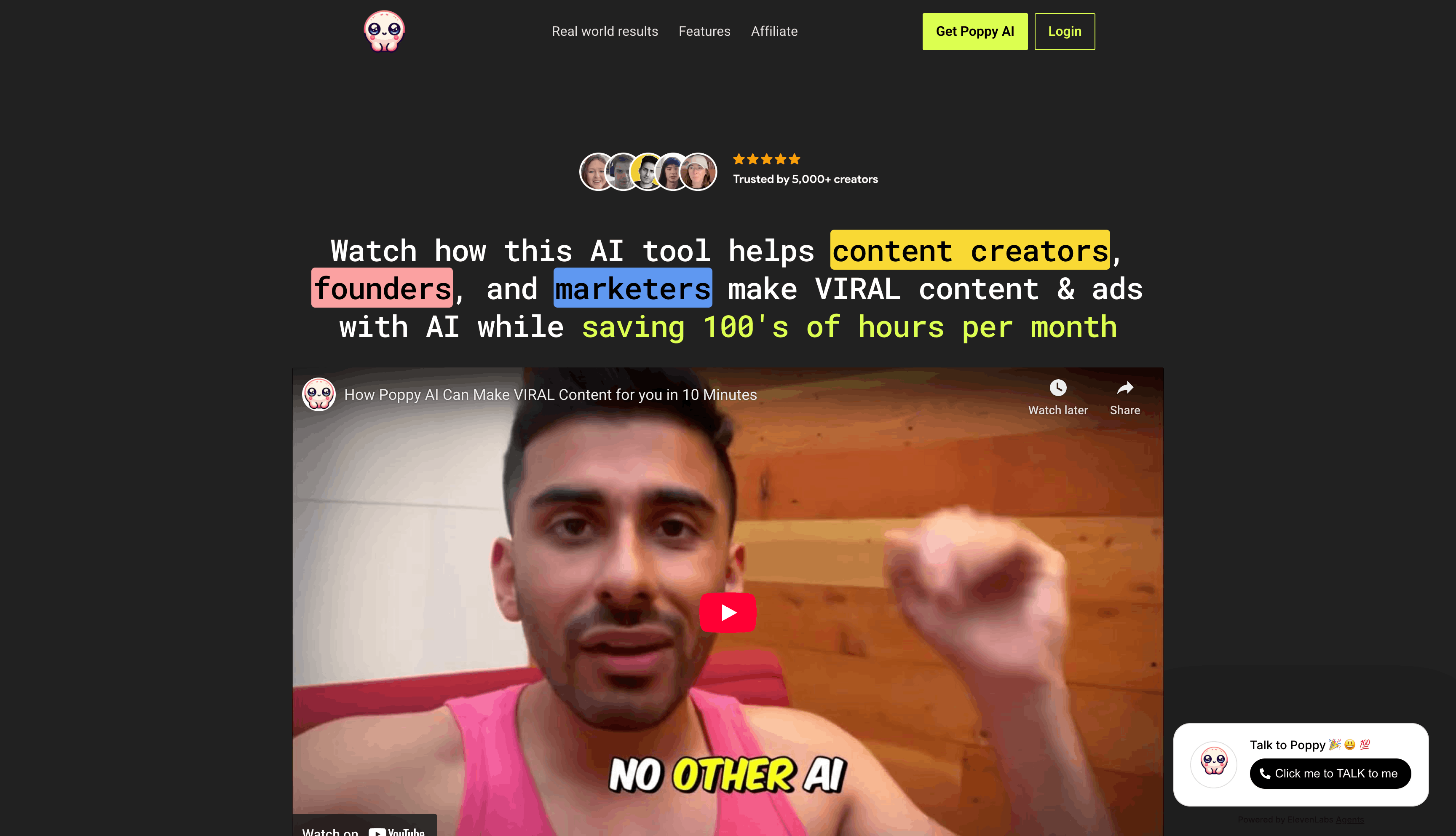
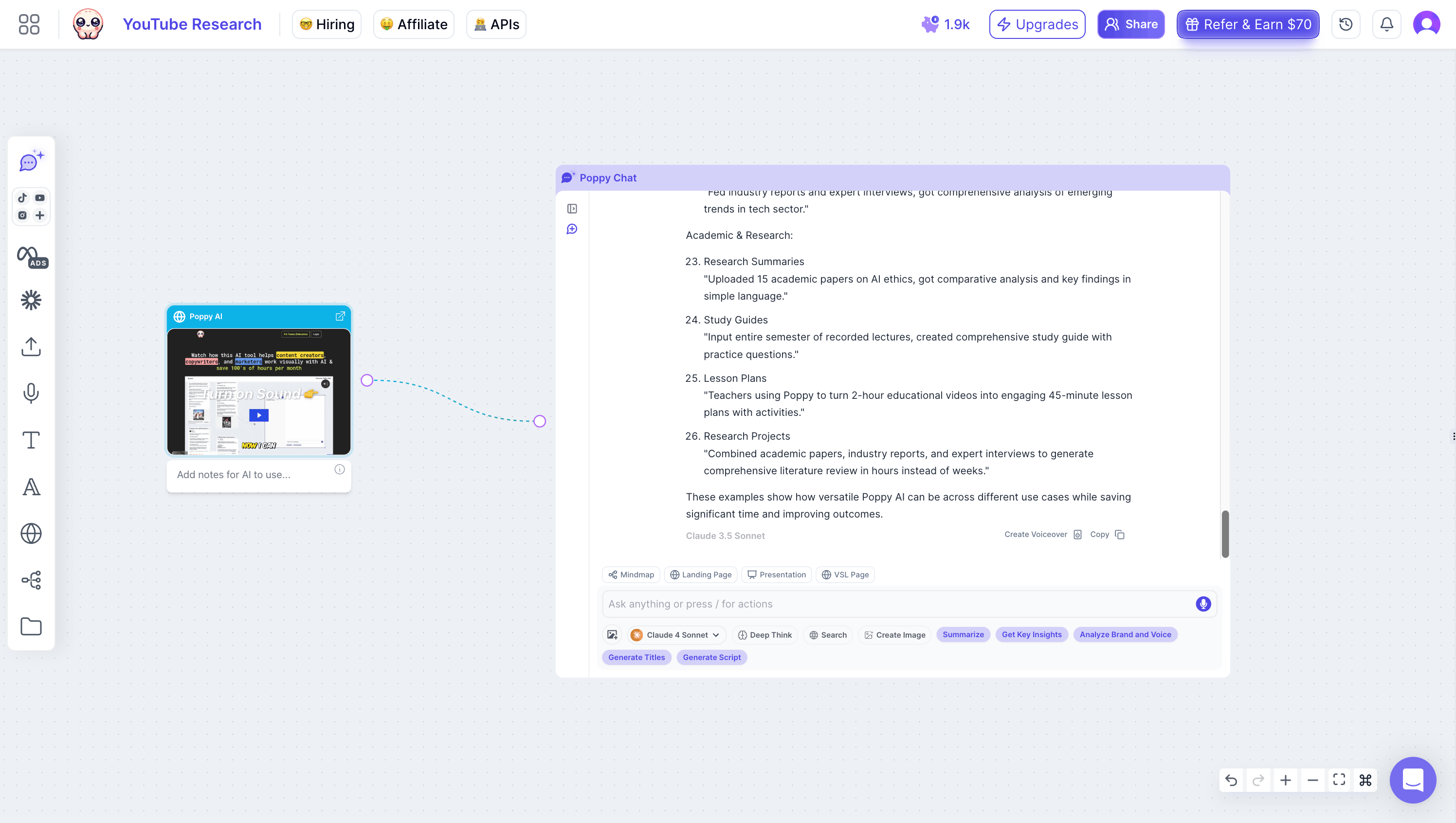
Poppy AI is basically a visual workspace that brings together different AI models. ChatGPT and Claude work together here, so you don't have to bounce between them.
But here's what makes it different. You can pull in your existing content, videos, PDFs, images, voice notes, and research materials all at once. Then connect them. It's like a mind-mapping tool, but powered by actual AI. And it works across your research, your ideas, everything
You just drag and drop different types of content. Connect them. And the AI helps you generate new ideas and pull insights from literally everything at once.
Whether it's long-form content, short social media posts, or raw research materials from multiple platforms. Everything connects visually instead of disappearing in some chat history
The tool was created by Qazi and Naz, who built it specifically for neurodivergent thinkers (like himself) who struggle with traditional linear AI tools.
As someone with ADHD, he wanted a tool that could match his chaotic thought process while still producing organized, valuable output.
What makes Poppy AI unique is its ability to:
- Process multiple types of content simultaneously
- Visualize connections between different pieces of information
- Generate insights from your entire research collection
- Save hours of research time by analyzing videos and documents instantly
Unlike ChatGPT or Claude, which can only handle text conversations, Poppy AI creates a workspace where you can literally see all your research, ideas, and AI interactions in one place.
It's like having a digital whiteboard where everything is connected and searchable.
The best part? You're not limited to just one AI model.
Poppy AI gives you access to ChatGPT and Claude's capabilities, letting you leverage each other's strengths for different types of content creation.
It's the mother of all AI tools for YouTube creators.
Pros
- Visual workspace beats linear chat tools
- Analyzes entire YouTube videos instantly
- Access to multiple AI models
- Saves hours of research time
- Perfect for messy thinkers
- Handles images, audio, and PDFs
Cons
- They do not offer a monthly payment
- Learning curve for new users
- No mobile app yet
- Can feel overwhelming at first
Personal Experience Using Poppy AI
When I first opened Poppy AI, I'll admit, I was overwhelmed.
The canvas-style interface felt like looking at a blank art board. But after 15 minutes of playing around, something clicked.
The Game-Changing Moment: I recently needed to create a YouTube video about AI tools. Instead of spending days researching and writing, I:
- Dropped my voice profile into Poppy AI
- Added my previous YouTube scripts
- Included my content notes and style guide
- Connected relevant YouTube videos for research
The result? Poppy AI generated a script that sounded exactly like me. It's not that generic AI voice we all hate, but my actual writing style, complete with my signature phrases and tone.
I published this video on my channel. Guess what? My audience couldn't tell the difference. The video performed just as well as my manually written content, but took 80% less time to create.
My Results:
- Script writing time: 30 mins (vs 4 hours)
- Research time: 15 mins (vs 2 hours)
- Maintained authentic voice
- Engagement stayed consistent
- Freed up time for other projects
Who Should Use Poppy AI?
While mind mapping with AI sounds cool, not everyone needs this powerful tool.
But for certain creators, Poppy AI isn't just nice to have; it helps you work smarter and actually saves money on multiple AI subscriptions.
You'll love Poppy AI if you're:
Content Creators & YouTubers
Imagine dropping 5 competitor videos into Poppy AI and getting instant insights about their hooks, storytelling patterns, and engagement triggers.
Example:
If you're a YouTuber, you can upload your top competitors' videos and get instant analysis of their hooks, patterns, and unique angles. Then, use these insights to create content that stands out in your niche.
Digital Marketers & Strategists
Connect customer feedback from Reddit, YouTube comments, and product reviews in one visual map. Let AI identify patterns and generate campaign ideas based on real user pain points.
Example:
If you're a marketing agency, you can simultaneously analyze hundreds of customer reviews, spot hidden patterns, and create campaigns based on real pain points your competitors missed.
Researchers & Students
Transform dense academic papers and lecture videos into visual knowledge maps. Connect concepts across different sources and let AI help you spot patterns and relationships.
Example:
If you're a researcher, you can process multiple academic papers at once, create visual concept maps, and identify research gaps in minutes instead of hours.
Business Owners
Turn chaotic business ideas into organized action plans. Create SOPs by recording voice notes and letting AI transform them into structured documents.
Example:
If you're a business owner, you can turn team meetings into detailed process documents instantly. Record voice notes, and let Poppy AI transform them into structured SOPs.
Social Media Content Strategists and Multi-Platform Creators
If you manage content across multiple platforms like Instagram, TikTok, YouTube, and LinkedIn, Poppy AI changes everything.
You can upload your existing viral videos, pull in what's working on each platform, and analyze why certain viral scripts perform better on TikTok versus YouTube.
Then build long-form content strategies that you can repurpose into platform-specific posts. No more juggling five different tabs for five different platforms."
Not Ideal For:
Casual AI Users Example: If you only need help writing basic emails or social posts, stick with ChatGPT's free version.
Linear Thinkers Example: Poppy AI might feel unnecessarily complex if you prefer working directly in Google Docs with simple, text-based tools.
Occasional Users Example: If you only create content once a month, the investment might not make sense for your limited needs.
Pro Tip:
List your weekly content and research tasks before investing. Poppy AI could be a game-changer for your workflow if you spend more than 5 hours weekly on these activities.
Top Benefits of Poppy AI
After testing Poppy AI for my YouTube scripts, emails, and blog posts, here's what I liked the most.
Visual Workspace That Matches Your Brain: You won't feel trapped in linear conversations anymore. The canvas-style interface lets your ideas flow naturally, connecting thoughts like your brain.
Everything in One Place: Are you tired of juggling multiple tools? Poppy AI handles text, video, audio, and images simultaneously. Drop a YouTube video, a PDF document, and a voice note into your workspace, and let AI analyze it all at once.
Double the AI Power: Why choose ChatGPT and Claude when you can have both? Poppy AI gives you access to both models, saving you $40+ monthly on separate subscriptions.
Research on Steroids: What used to take hours now takes minutes. Analyze entire YouTube videos instantly, extract key points from PDFs, and generate insights from your complete research collection.
Organization That Makes Sense: Finally, an AI writing tool that keeps your content research organized without feeling rigid. Create mind maps, connect related ideas, and never lose track of your research again.
Poppy AI Pricing
Poppy AI currently costs $300/year (about $25/month), making it cheaper than subscribing to ChatGPT Plus and Claude separately.
Use my coupon code "EDDY" to get $25 off, bringing it down to $22.90/month.
For what you're getting - a visual workspace, multiple AI models, and powerful research tools - it's a solid investment for serious creators.
Poppy AI's Best Features
As you know, Poppy AI is like ChatGPT, Claude, and Miro fused to create the most amazing product.
Visual Mind Mapping
Transform your scattered thoughts into organized visual maps.
Unlike traditional AI tools, Poppy AI lets you create interconnected information nodes that link different pieces of content.
Drag and drop elements, draw connections, and let AI help you discover relationships between ideas.
This tool is perfect for brainstorming sessions, content planning, or mapping complex projects. The visual interface makes it easy to spot patterns and gaps in your research.
NanoBanana Image Generation
Generate AI images without leaving your workspace.
Poppy AI now integrates NanoBanana, bringing instant image generation directly into your visual canvas. Instead of jumping to separate AI image tools, create, edit, and iterate on images while you're building your content strategy.
Upload a reference image or describe what you want, and NanoBanana generates variations instantly.
The AI understands the context of your workspace, so the generated images fit your content narrative rather than feeling random.
YouTube Video Analysis
Stop watching hours of YouTube videos at 2x speed. Poppy AI can analyze entire videos instantly, extracting key points, timestamps, and insights.
You can ask specific questions about any part of the video, get summaries of key segments, or compare multiple videos simultaneously.
It's like having a research assistant who watches everything for you and takes perfect notes.
PDF Document Analysis
Say goodbye to manual document scanning.
Upload any PDF, and Poppy AI will analyze the entire document, making every piece of information searchable and actionable.
Ask questions about specific sections, compare multiple documents, or extract key insights. Perfect for research papers, reports, or any text-heavy document you need to process quickly.
Voice Note Processing
Turn your spoken thoughts into organized content.
Record voice notes directly in Poppy AI or import existing recordings; the tool will transcribe and analyze them automatically.
Perfect for capturing ideas on the go, processing interviews, or converting spoken content into written form.
The AI can even help you identify key themes and patterns.
Image Understanding
Don't just store images. Understand them.
Poppy AI can analyze images, extract text, identify objects, and even understand context.
Drop screenshots, diagrams, or photos into your workspace, and the AI will help you make sense of visual information.
Great for analyzing charts, processing screenshots, or organizing visual research.
Multiple AI Model Access
With access to ChatGPT and Claude, you can get the best of both worlds. Depending on your needs, you can switch between models or let them work together.
Each model has its strengths, and Poppy AI lets you leverage them all without switching between different tools or paying for multiple subscriptions.
Real-time Collaboration
Work together seamlessly with your team.
Share workspaces, collaborate on research, and let everyone contribute to the same visual canvas.
Perfect for team brainstorming, group research projects, or collaborative content creation.
The AI helps keep everything organized and accessible to all team members.
Poppy AI Alternatives
ChatGPT ($20/month):
- Text-only conversations
- No visual workspace
- Can't analyze videos or PDFs
- Limited to one AI model
Claude ($20/month):
- Longer context window
- Better technical analysis
- Still linear conversations
- No multimedia support
NotebookLM (Free):
- Google's research tool
- Basic document analysis
- Uses a weaker Gemini model
- No video or audio support
Final Thoughts
As someone who's spent thousands on AI tools and courses, I can say that Poppy AI is the first tool that actually delivers on the promise of being "all-in-one."
Yes, it's $300/year, but it replaces 3-4 different subscriptions and saves countless hours.
Think about it: If it saves you just 2 hours per week (it saves me way more), that's over 100 hours yearly. At $300, you're paying less than $3 per hour saved. That's insane value for any serious creator or marketer.
If you create content, manage research, juggle multiple platforms, or build businesses online, Poppy AI isn't just another tool. It's actually an investment in working smarter.
Most creators spend their time switching between tools instead of actually creating. Poppy fixes that
Use code EDDY to save $25 and try it out. With the 30-day guarantee, you've got nothing to lose.
Poppy AI FAQs
Is Poppy AI worth the money?
For content creators and researchers, absolutely.
At $22.90/month (with code EDDY), you're getting a visual AI workspace that replaces multiple tools.
I've saved countless hours on content research and creation, making the ROI a no-brainer for serious creators.
How does Poppy AI compare to ChatGPT?
ChatGPT and Poppy AI serve different purposes, though they're complementary. ChatGPT is a text-based conversational AI.
You type questions, and it responds in chat format. Poppy AI is a visual research workspace that integrates multiple AI models (ChatGPT and Claude) into a single platform.
Can Poppy AI replace other AI tools?
Poppy AI can replace several tools you might currently use separately. It replaces ChatGPT Plus for general AI assistance and content creation. It replaces Claude subscriptions for alternative AI models. It replaces standalone transcription tools by automatically transcribing voice notes. It replaces basic mind-mapping software like MindMeister or Coggle for organizing visual research.
Is there a free trial?
Poppy AI does not offer a free trial version. However, there is a 30-day money-back guarantee. This gives you plenty of time to test the visual workspace, content analysis features, and AI capabilities risk-free.
Is PoppyAI Hard To Use?
The learning curve for Poppy AI is relatively short. Expect 15 to 30 minutes before you feel comfortable with the visual canvas interface. If you've previously used mind-mapping tools like MindMeister, visual workspace tools like Miro, or note-taking apps like Notion, the interface will feel familiar from the start. Poppy includes an AI assistant that guides you through features and best practices.
